

php-html-js代码|一个新的思路调用TXT文件内的链接
时间:2024-12-04 15:26:50 阅读:1314
一个全新的调用代码,随机插入链接的方法
以前写的代码都是通过JS随机,这样操作太麻烦,现在重写一份,直接用PHP调用txt文件的链接
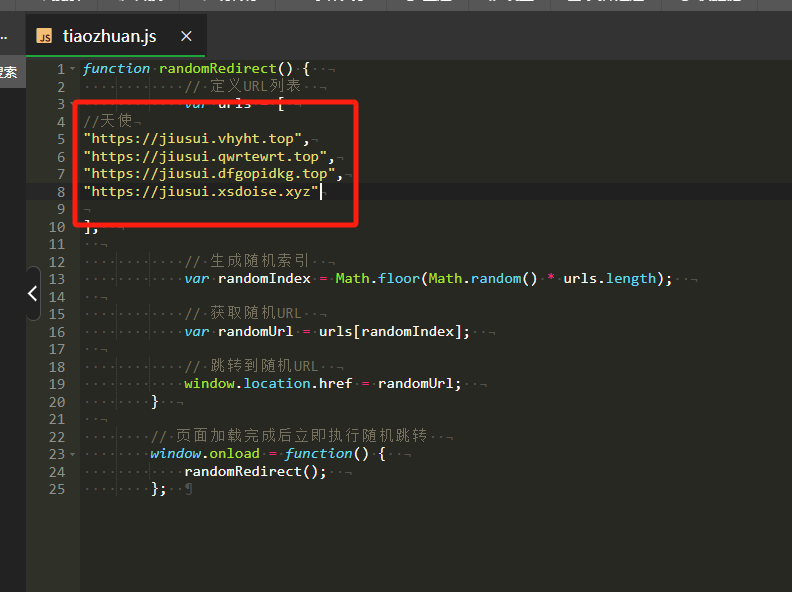
进入正题:
1.创建zshaolj.txt文件,在里面放入链接
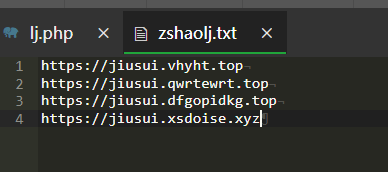
2.创建lj.php文件,在里面放入调用
<?php
$ip = $_SERVER['REMOTE_ADDR'];
$time = date('Y-m-d H:i:s');
$referer = isset($_SERVER['HTTP_REFERER']) ? parse_url($_SERVER['HTTP_REFERER'], PHP_URL_HOST) : $_SERVER['HTTP_HOST'];
$data = $ip . '|' . $time . '|' . $referer . "\n";
file_put_contents('zshao.txt', $data, FILE_APPEND);
?>
<?php
$contents = file_get_contents('zshao.txt');
$lines = explode("\n", $contents);
$count = array();
$latestTime = array();
$latestDomain = array();
foreach ($lines as $line) {
    if (!empty($line)) {
        list($ip, $time, $domain) = explode('|', $line);
        if (isset($count[$ip])) {
            $count[$ip]++;
        } else {
            $count[$ip] = 1;
        }
        $latestTime[$ip] = $time;
        $latestDomain[$ip] = $domain;
    }
}
arsort($count); // 按照来访次数降序排序
$data = '';
foreach ($count as $ip => $times) {
    $data .= "来访次数:{$times} 来访IP:{$ip} 来访时间:{$latestTime[$ip]} 来路域名:{$latestDomain[$ip]}\n";
}
file_put_contents('zshaowl.txt', $data);
?>

<?php

// 设置允许跨域访问(如果有前端跨域调用需求的话,生产环境要做好安全配置)
header('Access-Control-Allow-Origin: *');
header('Content-Type: text/plain; charset=utf-8');

// 定义文件路径,这里假设`zshaolj.txt`和`lj.php`在同一目录下,可根据实际情况调整
$filePath = 'zshaolj.txt';

if (!file_exists($filePath)) {
    http_response_code(404);
    die('文件不存在');
}

$lines = file($filePath, FILE_IGNORE_NEW_LINES | FILE_SKIP_EMPTY_LINES);
if (empty($lines)) {
    http_response_code(500);
    die('文件为空');
}

// 随机获取一行的索引
$randomIndex = array_rand($lines);
// 获取随机一行的内容
$randomLine = $lines[$randomIndex];

echo $randomLine;
?>
3.在需要调用的网页放入
 <script>
    // 更灵活的方式获取页面中所有需要设置href属性的元素,例如可以通过特定的类名、标签名等选择器来获取,这里以id开头为示例,可按需调整
    function getElementsToUpdate() {
        const elements = [];
        const allAnchors = document.querySelectorAll('a');
        allAnchors.forEach(anchor => {
            if (anchor.id.startsWith('fakawang')) {
                elements.push(anchor);
            }
        });
        return elements;
    }

    // 定义函数用于根据获取到的元素批量设置元素的href属性
    function setHrefForElements(elements, hrefValue) {
        elements.forEach(element => {
            if (element) {
                // 使用trim()方法去除空格后再设置href属性
                element.href = hrefValue.trim();
            }
        });
    }

    // 使用fetch获取API返回的数据(也就是随机一行的链接内容)
    fetch('https://www.hutoucun.cn/faka/lj-ts.php')  // 这里假设使用第二个代码中的URL示例,可按需替换成真实后端接口地址
      .then(response => {
            if (!response.ok) {
                throw new Error('网络请求失败');
            }
            return response.text();
        })
      .then(data => {
            const elementsToUpdate = getElementsToUpdate();
            // 调用函数批量设置元素的href属性
            setHrefForElements(elementsToUpdate, data);
        })
      .catch(error => {
            console.error('发生错误:', error);
        });
</script>
4.在需要的a链接放入id调用【注意ID基本是有唯一性的,如果调用多个,尽量在后面放入一些其他字母或者数字比如fakawang-1
<a id="fakawang" href="#">点击跳转(仿网址)</a>
<a id="fakawang-随便放" href="#">点击跳转(仿网址)</a>
网友评论